Step 1: Provide your Details
- Enter your Email ID.
- Click or upload both the front and back photos of your Aadhaar card.
- Click or upload the photo of your PAN card.
- Submit the form.
- Wait for 24 hours until your details are updated on the system, then visit this page again. If you try to access this page before your details have been updated, you will see the same form again.
Step 2: You will receive 2 emails from IRCTC and MOS
- After submission, you will receive two emails at the same time:
-
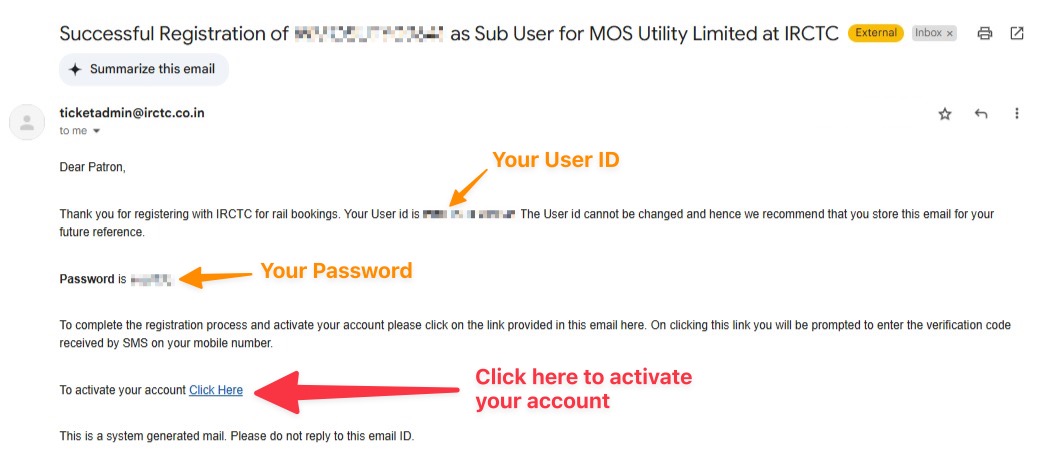
An email from IRCTC containing your User ID, Password, and an Activation Link.
-
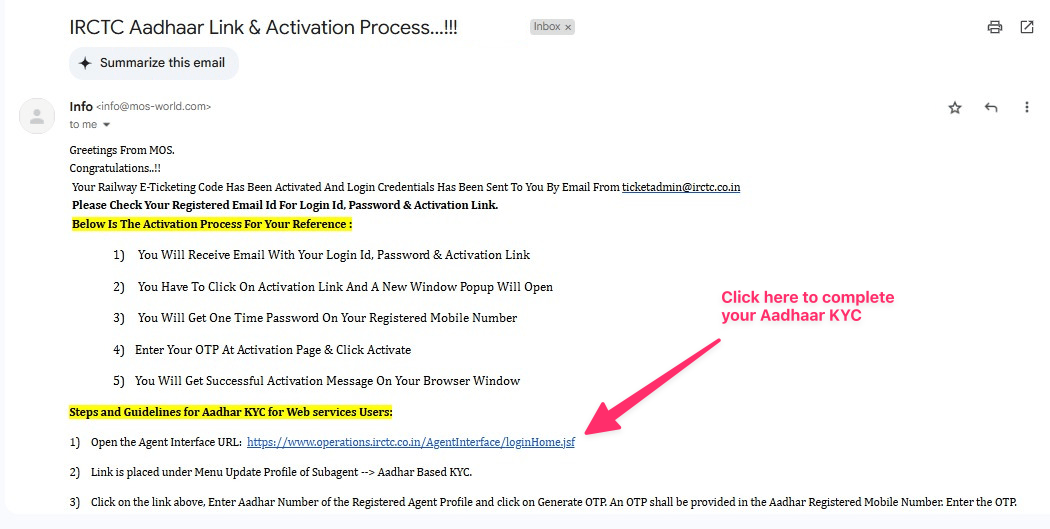
An email from MOS with a link to complete your Aadhaar KYC on the Agent Interface.
-
Step 2.1: Activate your Account from IRCTC Email
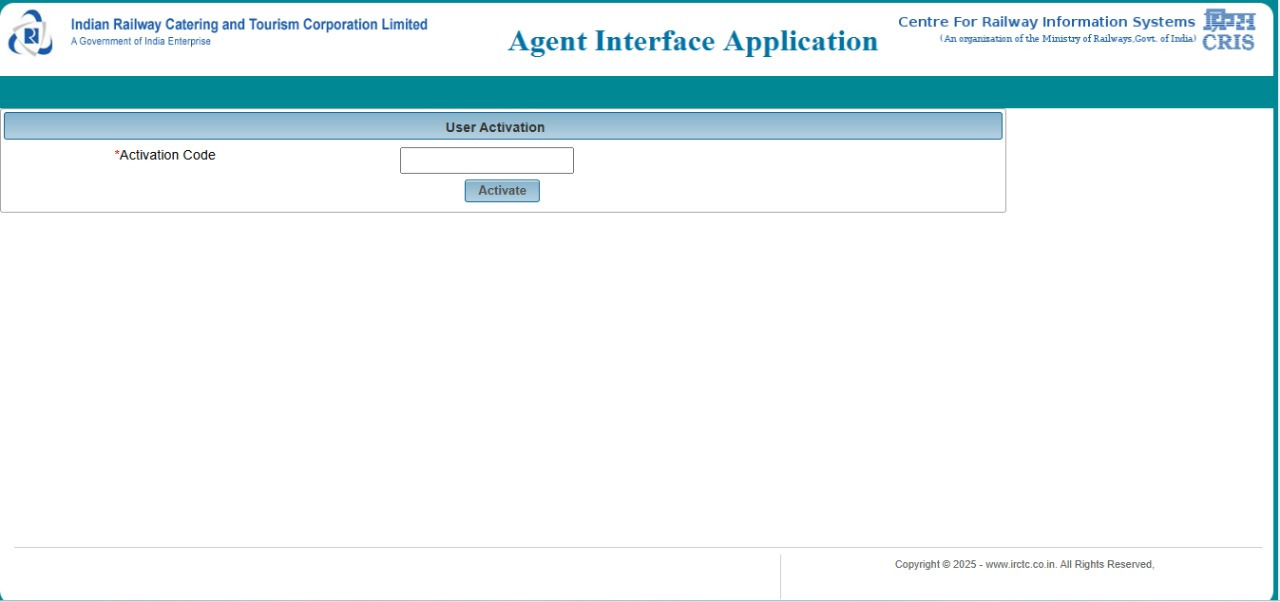
- Activate Your Account: Click on the Activation Link provided in the IRCTC email.
- Enter Activation Code: An activation window will open where you must enter the activation code (OTP) that has been sent to your registered mobile number.
- Verify: Once you enter the code and verify it, your account is activated and ready for login.
Step 2.2: Complete your KYC from MOS Email
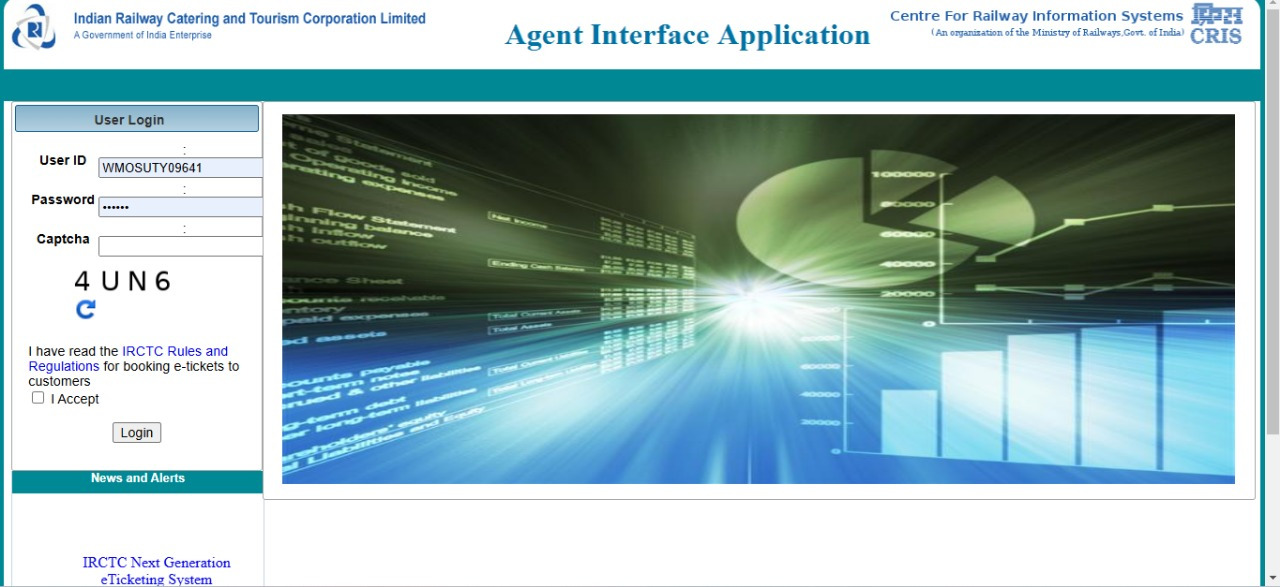
- Access the Login Page: Click on the link provided in the MOS email. This opens the IRCTC Agent Interface Application login page.
- Enter Credentials: On the login page, enter:
- Your User ID (from the IRCTC email)
- Your Password (from the IRCTC email)
- The Captcha displayed below on the page.
- Accept Rules: Check the box to accept the IRCTC Rules and Regulations.
- Login: Click “Login” to proceed.
Step 2.3: Aadhaar Verification
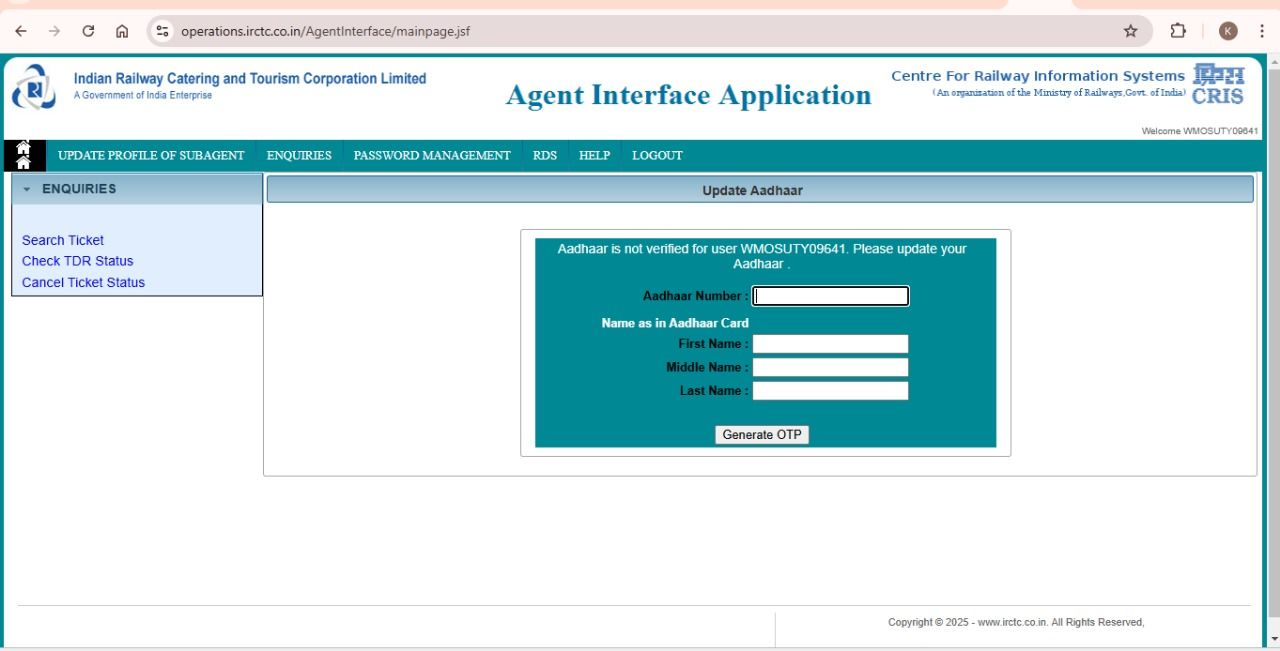
- Redirect to Aadhaar Verification: After logging in, you will be redirected to the Aadhaar verification page.
- Enter Aadhaar Details: Provide the following details:
- Aadhaar Number
- First Name (as per Aadhaar)
- Middle Name (if applicable)
- Last Name (as per Aadhaar)
- OTP Generation and Entry: Click “Generate OTP” to receive a one-time password on your Aadhaar-linked mobile number. Then, enter the received OTP to complete the verification process.
Access Granted
- Once the Aadhaar verification is successful, you gain full access to the IRCTC Agent Interface, allowing you to manage ticket bookings, check PNR statuses, cancel tickets, and perform other authorized actions.
Step 3: Proceed with Booking Your Ticket
Once all previous steps have been completed, return to the “Book a Train” page.
- Click on “Start Booking” Button to proceed with your ticket booking.